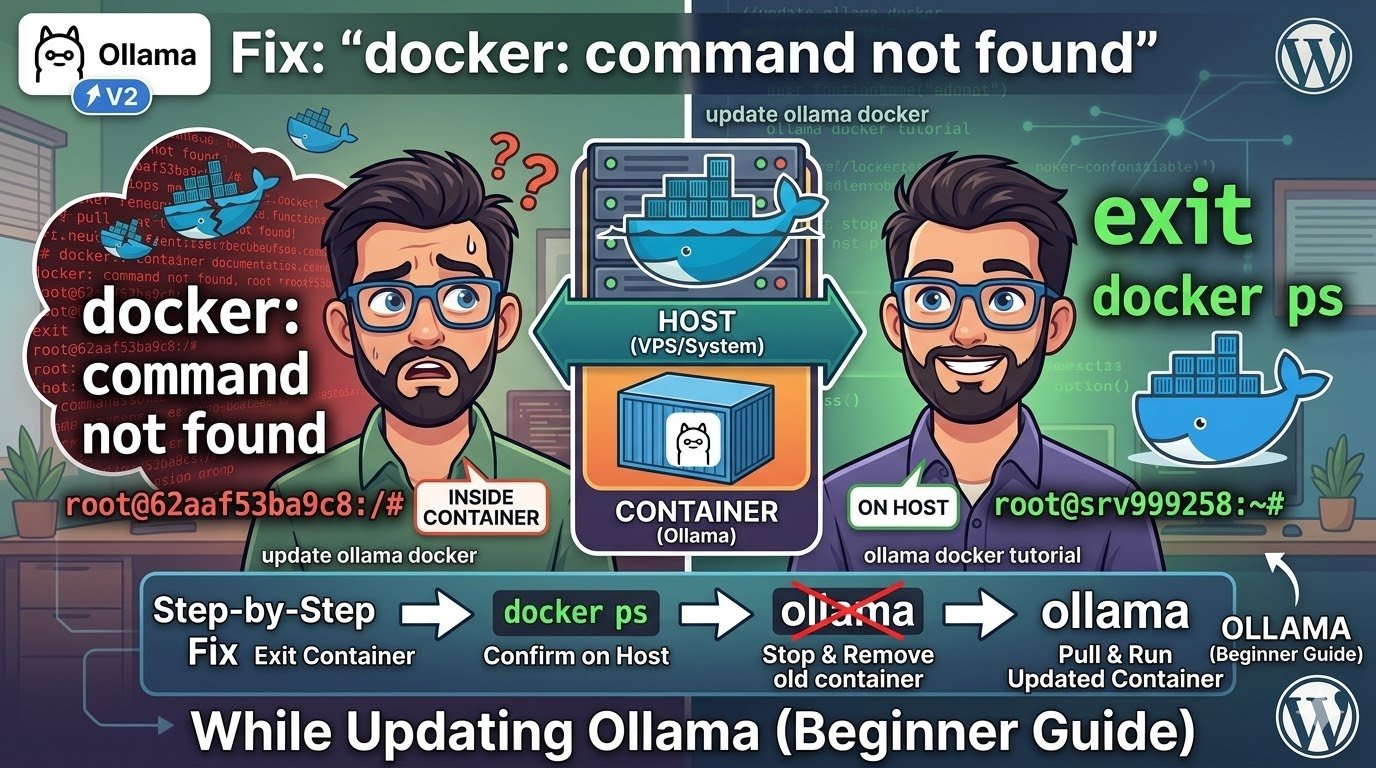
Fix: “docker: command not found” While Updating Ollama (Beginner Guide)
When you work with Docker, you’re dealing with two layers:
 Host (Your VPS / System)
- Has Docker installed
- Controls containers
- Runs commands like
docker ps,docker run, etc.
 Container (Where Ollama Runs)
- Has Ollama
- Does NOT have Docker
- Runs application-level commands
 Important rule:
| Task | Where to run |
|---|---|
| Docker commands | Host |
| Ollama commands | Container |
| API calls | Anywhere |
Why You See “docker: command not found”
Because you are trying to run:
docker psInside the container.
But Docker only exists on the host machine, not inside containers.
Step-by-Step Fix
 Step 1 — Exit the container
exit
You should now see something like:
root@srv9zz99258:~# Step 2 — Confirm you’re on the host
docker ps If this works, you’re in the right place.
Step 3 — Stop and remove old container
docker stop ollama
docker rm ollama
Step 4 — Pull the latest Ollama image
docker pull ollama/ollama:latest
Step 5 — Run updated container
 docker run -d \
--name ollama \
-p 11434:11434 \
-v ollama:/root/.ollama \
ollama/ollama:latest
Step 6 — Verify models
docker exec -it ollama ollama listYour models (like gemma3, qwen, etc.) should still be there.
Step 7 — Run a model
docker exec -it ollama ollama run qwen3.5:0.8b